Wedding Flowers Clipart Set: Elegant Design Assets for Every Project
There's a certain magic in wedding stationery—the delicate swirl of a calligraphed name, the soft blush of a floral border, the way everything feels cohesive and intentional. But achieving that polished, romantic aesthetic doesn't require a calligrapher or a professional illustrator on retainer. With the right digital assets, you can weave that elegance into invitations, branding, social content, and beyond. Enter the Wedding Flowers Clipart Set from prettygrafik Design inc., a thoughtfully curated collection designed to bring botanical beauty to your creative projects without the steep learning curve or cost.
What's Inside the Collection
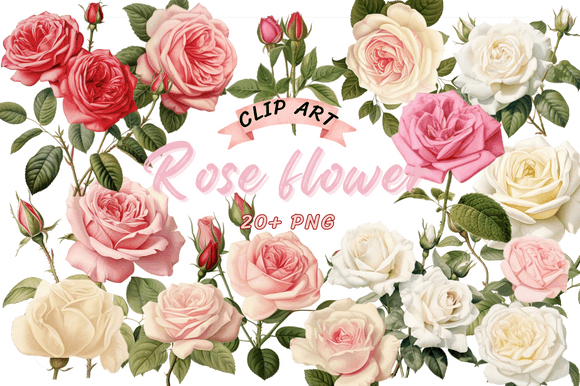
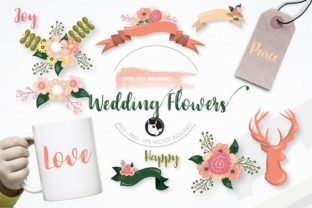
This isn't a random assortment of flower doodles. The set includes a range of graphic elements—think lush peonies, trailing greenery, delicate buds, and styled floral arrangements—each crafted with a soft, watercolor-inspired aesthetic that feels both timeless and contemporary. What you will receive is a complete toolkit: one EPS vector file for maximum scalability, plus each graphic saved separately as high-resolution 6"x6" 300 dpi PNG files with transparent backgrounds and matching JPEG files with white backgrounds. That means whether you're scaling a single bloom to fill a poster or layering multiple elements into a complex layout, the quality holds up beautifully.
The transparent PNGs are particularly useful for designers who want to drop florals onto colored backgrounds, layer them over photos, or combine them with typography without worrying about awkward white boxes. The JPEG versions, meanwhile, work perfectly for quick mockups, printing on white card stock, or uploading directly into design platforms that don't handle transparency well.
Where These Florals Truly Shine
Wedding-themed assets might sound niche, but the versatility of this set extends far beyond save-the-dates. Consider how a single floral wreath could anchor a logo for a boutique florist, a wedding planner, or a skincare brand that leans into natural ingredients. The soft, organic shapes pair effortlessly with both serif and sans serif typefaces, making them adaptable to a wide range of brand identities.
For packaging design, imagine a small-batch candle company wrapping its boxes with a trailing vine illustration, or a bakery using a cluster of blossoms on its label. These elements add a layer of perceived value—customers associate floral motifs with care, craftsmanship, and attention to detail.
Social media graphics benefit enormously from assets like these. Instagram posts, Pinterest pins, and Facebook covers all perform better when they feel visually cohesive. A content creator promoting a spring collection or a lifestyle blogger sharing a recipe could use a floral corner accent to frame their text, instantly elevating a simple graphic into something share-worthy. The same applies to web design—a hero image with subtle botanical overlays or a blog sidebar adorned with a small arrangement can make a site feel more inviting and professional.
Then there's the world of print materials. Wedding invitations are the obvious choice, but think broader: event programs, thank-you cards, menu designs, table numbers, and even custom postage stamps. For small business owners, these florals could enhance business cards, letterheads, or product tags. The EPS vector file ensures that no matter how large you print—whether it's a poster for a bridal expo or a banner for a pop-up shop—the lines stay crisp and the colors remain true.
Matching Florals to Your Design Goals
Not every project calls for the same floral treatment. A luxury brand might lean into a single, large-scale peony as a statement element, while a bohemian wedding suite might layer multiple smaller blooms and greenery for a garden-like feel. The key is to think about the mood you want to create. Soft pastels and loose, painterly petals evoke romance and femininity. Tighter arrangements with more structured stems can feel modern and editorial.
When pairing these graphics with typography, contrast is your friend. A flowing script font works beautifully alongside the organic curves of floral elements, but balance it with a clean sans serif for body text to maintain readability. If your brand identity leans more minimalist, use the florals sparingly—as a subtle watermark behind text or as a small icon in a header. For maximalist projects, don't be afraid to layer multiple elements, overlap blooms with greenery, and let the composition feel lush and abundant.
One practical tip: always test your designs at the size they'll actually be viewed. A floral arrangement that looks stunning on a 27-inch monitor might feel overwhelming on a business card, and vice versa. The 6"x6" dimensions of these assets make them easy to crop, resize, and reposition without losing quality, so experiment freely before committing to a final layout.
Licensing and Practical Considerations
For anyone using these assets in commercial work—whether you're designing client projects, selling merchandise, or creating digital products—licensing matters. The Wedding Flowers Clipart Set from prettygrafik Design inc. comes with commercial use rights, which means you can incorporate these elements into products you sell, marketing materials you distribute, and branded content you publish. That's a significant advantage over free resources, where licensing terms are often murky or restrictive.
Keep in mind that while the assets themselves are versatile, the best results come from thoughtful integration. A floral element should enhance your design, not overwhelm it. Use the PNG files for digital projects where transparency is key, and reserve the vector EPS file for print work or situations where you need to recolor, reshape, or scale individual components. Having both formats in your toolkit gives you flexibility that stock images alone can't match.
Whether you're a seasoned designer building out a client's brand identity, an entrepreneur crafting your first product packaging, or a hobbyist putting together a handmade gift, this set offers a practical shortcut to polished, professional-looking results. The beauty of well-made design assets is that they disappear into the work—they don't scream "clip art." They simply make everything around them look a little more considered, a little more intentional, and a whole lot more beautiful.